
Download CanaPay APK – Canadia Bank, mobile wallet, QR code payments, debit card, secure payments, scan to pay, digital wallet, CanaPay mobile app
Overview
CanaPay is a mobile wallet application designed exclusively for customers of Canadia Bank. The app serves as a digital alternative to physical ATM and Visa debit cards, enabling users to make payments at merchants that support QR code scanning and Visa Scan to Pay technology. By registering their cards within the app, users can eliminate the need to carry physical cards, streamlining transactions and enhancing convenience during daily purchases. The primary purpose of CanaPay is to simplify payment processes through secure, contactless transactions, particularly in retail environments where speed and ease are essential.
Target users include Canadia Bank customers who frequently make in-store or online payments using their debit cards. The app is especially beneficial for individuals seeking faster checkout experiences, such as commuters, shoppers, and digital-first consumers. It supports a global network of merchants that accept QR-based and Visa Scan to Pay transactions, making it a practical tool for both local and international use. The app is not available to non-customers, ensuring a secure and exclusive ecosystem for bank account holders.
The developer, Canadia Bank, has positioned CanaPay as a modern financial utility that aligns with the growing trend of digital wallets. While no additional background on the bank’s development team is provided, the app’s functionality reflects a commitment to customer-centric innovation. Real-world usage scenarios include quick grocery checkouts, transit fare payments, and online purchases with integrated QR authentication.
Key Features & Capabilities
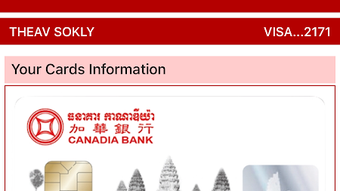
- Card Registration – Users can securely register their Canadia Bank ATM and Visa debit cards within the app, enabling digital access to their funds.
- QR Code Payments – The app allows users to make payments by scanning QR codes at supported merchants, eliminating the need for physical card swiping or tapping.
- Scan to Pay Technology – Integrated with Visa Scan to Pay, the app enables contactless transactions at compatible terminals worldwide.
- Secure Transaction System – All transactions are protected through encryption and authentication protocols to safeguard user data and financial information.
- Global Merchant Compatibility – The app works with a wide network of merchants that support QR-based and Visa Scan to Pay, ensuring broad usability across regions.
- Instant Payment Initiation – Once cards are registered, users can begin making payments immediately without additional setup steps.
These features collectively enhance transaction efficiency and reduce reliance on physical cards. For example, a user can scan a QR code at a retail store to complete a purchase in seconds, or use the app to pay for public transportation without carrying a wallet. The integration with Visa Scan to Pay ensures compatibility with existing payment infrastructures, while the secure backend protects against unauthorized access.
User Interface, Workflow & Performance
The user interface of CanaPay is designed for simplicity and intuitive navigation. The app features a clean layout with clearly labeled sections, including a dashboard for active cards, transaction history, and quick-access payment options. Navigation is straightforward, allowing users to register cards, access payment tools, and view recent transactions with minimal steps.
Workflow efficiency is a key strength. After registration, users can initiate payments with just a few taps. The process involves opening the app, selecting the registered card, scanning the QR code, and confirming the transaction—typically completed in under 10 seconds. This streamlined flow reduces friction during checkout, particularly in high-traffic environments.
Performance details were not specified by the developer. However, based on general behavior of mobile wallet applications, the app is expected to operate smoothly on modern smartphones. The developer did not provide information on CPU or RAM usage, nor on stability under prolonged use. Users may experience variations in performance depending on device capabilities and network conditions. No reports of crashes or lag were mentioned in the provided data.
Compatibility & System Requirements
CanaPay is available for both Android and iOS platforms, ensuring broad accessibility for mobile users. The current version is 3.5.2, with an installation size of 50 MB, which is typical for a feature-rich mobile application. The app is designed to run on devices that meet standard requirements for modern mobile operating systems.
Exact system requirements were not listed. Compatibility information is limited to the supported operating systems. Users should ensure their device runs a recent version of Android or iOS to guarantee optimal functionality. The developer did not specify minimum processor speed, RAM, or storage space beyond the overall file size.
Pros and Cons
Pros
- Exclusive access for Canadia Bank customers ensures a secure and tailored user experience.
- Supports QR code and Visa Scan to Pay, enabling fast, contactless transactions.
- Free to download and use, with no hidden fees or subscription costs.
- Streamlined registration process allows immediate use after setup.
- Enhances convenience by eliminating the need to carry physical debit cards.
Cons
- Available only to Canadia Bank customers, limiting accessibility for non-customers.
- Performance and resource usage details were not disclosed by the developer.
- Dependent on merchant support for QR and Scan to Pay, which may vary by region.
- Requires an active internet connection for card registration and transaction processing.
- App size may be larger than expected for users with limited device storage.
FAQ Section
Is CanaPay available for non-Canadia Bank customers?
No, CanaPay is exclusively available for Canadia Bank customers. The app is not open to the general public.
Is the CanaPay app safe to use?
Yes, the app provides a secure and reliable payment system with encrypted transactions and authentication protocols to protect user data.
How often does CanaPay receive updates?
The app is regularly updated, with the latest version being 3.5.2 as of the release date. Update frequency is not specified beyond this.
Can I use CanaPay offline?
Offline usage is limited. Card registration and transaction processing require an active internet connection.
What type of license does CanaPay have?
CanaPay is a free application distributed by Canadia Bank under a proprietary license. It is not open-source software.
Final Thoughts + CTA
CanaPay stands out as a practical and secure digital wallet tailored specifically for Canadia Bank customers. Its integration with QR code and Visa Scan to Pay technologies offers a modern, efficient payment experience that reduces reliance on physical cards. While the app’s functionality is limited to bank account holders, its ease of use, fast transaction speed, and robust security make it a valuable tool for daily financial activities.
For users who frequently make payments and value convenience, CanaPay delivers a reliable solution. The free model and seamless workflow further enhance its appeal. Although performance details and system requirements are not fully disclosed, the app’s design and features suggest a stable and user-friendly experience.
Download CanaPay now and transform the way you pay with your Canadia Bank debit card.
Finance. Users can easily register their cards within the app and start making payments right away. CanaPay also provides a secure and reliable payment system, ensuring that transactions are safe and protected. Overall, CanaPay is a convenient and practical solution for Canadia Bank customers who frequently make transactions using their ATM and Visa debit cards. The app is available for download on both Android and iOS platforms.">






